Tracing User Behaviour FRUBO
Background
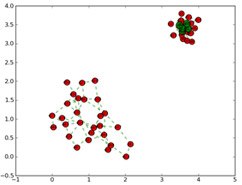
FRUBO (File Relationship & User Behavior Ontology) also known as previously: AFRO (Attention File Relationship Organiser) System is a user behaviour based document sorting application. By capturing the users document usage patterns, we can build relationships between documents that is essential for document seeking, and grouping. The study exploits usage patterns and enhances a new layer of information built on to current searching tools on Windows / Mac OSX.
Project Status
- Please email me at mirageglobe@gmail.com if you are currently testing. Otherwise I will not know.
- Currently we are looking for volunteers for data collection. Please contact me at mirageglobe@gmail.com , if you are interested. Many thanks
- Improving clustering methods by core seeking
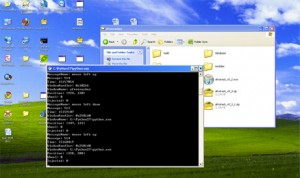
It collects your time, date and application name such as “microsoft-word myletter”
The logfile will be like as follows:
===============================
1288283690.27UnknownInbox – Microsoft Outlook3801580(1620, 3)
===============================
About Application Details
Dev Libraries: Python 2.7 & SQlite 3.7.4, + Several Python Libraries
Supported OS: WinXP, Win Vista, Win 7
Known Bugs:
Esc Button doesnt work.
Project Team
Supervisor: Prof. Frank Wang (UKent), Dr. Sining Wu (UKent)
Researcher: Mian-Guan Lim, Jimmy
Evaluators: Shawn Yang(UKent), Dr. Jiang Nan (UBournemouth)
- Click on the link below to download (Stable version is recommended)
- Save the file on your desktop
- Unzip the file with Winzip or Peazip
- Go into the folder and click on “afrotrack.exe” to run
- You may want to minimize the tracker window.
- Thats it. Carry out your general usage of the pc and AFRO will track your behaviour in the background.
- After 2 weeks – 4 weeks, go into the folder and check the file “attention.log”
- Email this file to our Research Group to mirageglobe@gmail.com (M.Guan Lim Jimmy)
- A nice to have will be feedback of the system. You may want to feed back on improvements anytime during the volunteering process. Many thanks again for your contribution/help towards research in UK
License: Free Closed Source Testing At the moment
- Frubo Tracker Beta (Standalone) v0.3.1 (Current Stable Version)
- Frubo Tracker Beta (Standalone) v0.3
- Frubo Tracker Beta (Standalone) v0.2
This project was made possible by the following groups/institutions:


FRUBO by Jimmy Mian-Guan Lim is licensed under a Creative Commons Attribution-NonCommercial-ShareAlike 3.0 Unported License.